Apple System Sounds: Where to Find Them, How They’re Used, and Why They Work
Apple’s system sounds are small by design — quiet confirmations, gentle nudges, and subtle reassurances that something just worked.
Most people hear them every day without thinking twice. This page slows things down.
Below, you’ll hear short examples of familiar macOS and iOS sounds, learn when they’re used, where they live on your device, and why Apple designed them the way they did.
These sounds are already part of your Apple devices. They’re shared here briefly for educational context — not for download or reuse — so we can appreciate the craft behind them.
The Philosophy
Why Apple Uses Sound at All
Short, human explanation:
Sound confirms action when visuals aren’t enough
It reduces anxiety (“Did that send?”)
It helps accessibility
It builds familiarity and trust
A good system sound doesn’t demand attention.
It simply lets you know you’re not alone.
Where These Sounds Live
On macOS, many system sounds live deep inside the operating system itself. Some are user-selectable alert sounds, while others are contextual — played automatically when certain actions happen.
Apple groups these sounds by experience, not by name. Messaging sounds live near messaging behavior. Accessibility sounds live with accessibility features. Some sounds are meant to be chosen. Others are meant to simply happen.
Apple updates, replaces, and retires system sounds over time, so what you hear today may differ slightly across macOS versions.
The Sounds
🗑️ Emptying the Trash
What you hear:
A soft crumple followed by a gentle release.
When it plays:
When the Trash is emptied on macOS.
💸 You’ve got Money!
What you hear:
A clear, neutral confirmation tone.
When it plays:
When a successful payment or transaction is confirmed.
🚮 Throw away the files
What you hear:
A short, noticeable confirmation tone.
When it plays:
When an item is moved to the Trash.
💬 Message Sent
What you hear:
A quick, confident swoosh.
When it plays:
When a message is successfully sent.
💿 Burning Completed
What you hear:
A warm, resolving completion tone.
When it plays:
When a disc finishes burning.
✉️ Mail Sent
What you hear:
A softer, more deliberate send sound.
When it plays:
When an email is successfully sent.
📱 AirDrop Conversation
What you hear:
A restrained pop that signals recognition.
When it plays:
When nearby Apple devices discover each other and an interaction begins.
💾 Volume Mounted
What you hear:
A familiar, slightly old-school system tone.
When it plays:
When an external drive or volume is mounted.
💨 Dock Item Removed
What you hear:
A soft “poof” with a hint of whimsy.
When it plays:
When an item is removed from the Dock.
Apple Loops are different from system sounds.
While macOS system sounds are designed purely for feedback, Apple Loops are creative audio assets intended to be explored and used in music projects. These files are part of GarageBand and Logic’s loop libraries and are organized by genre, instrument, and style.
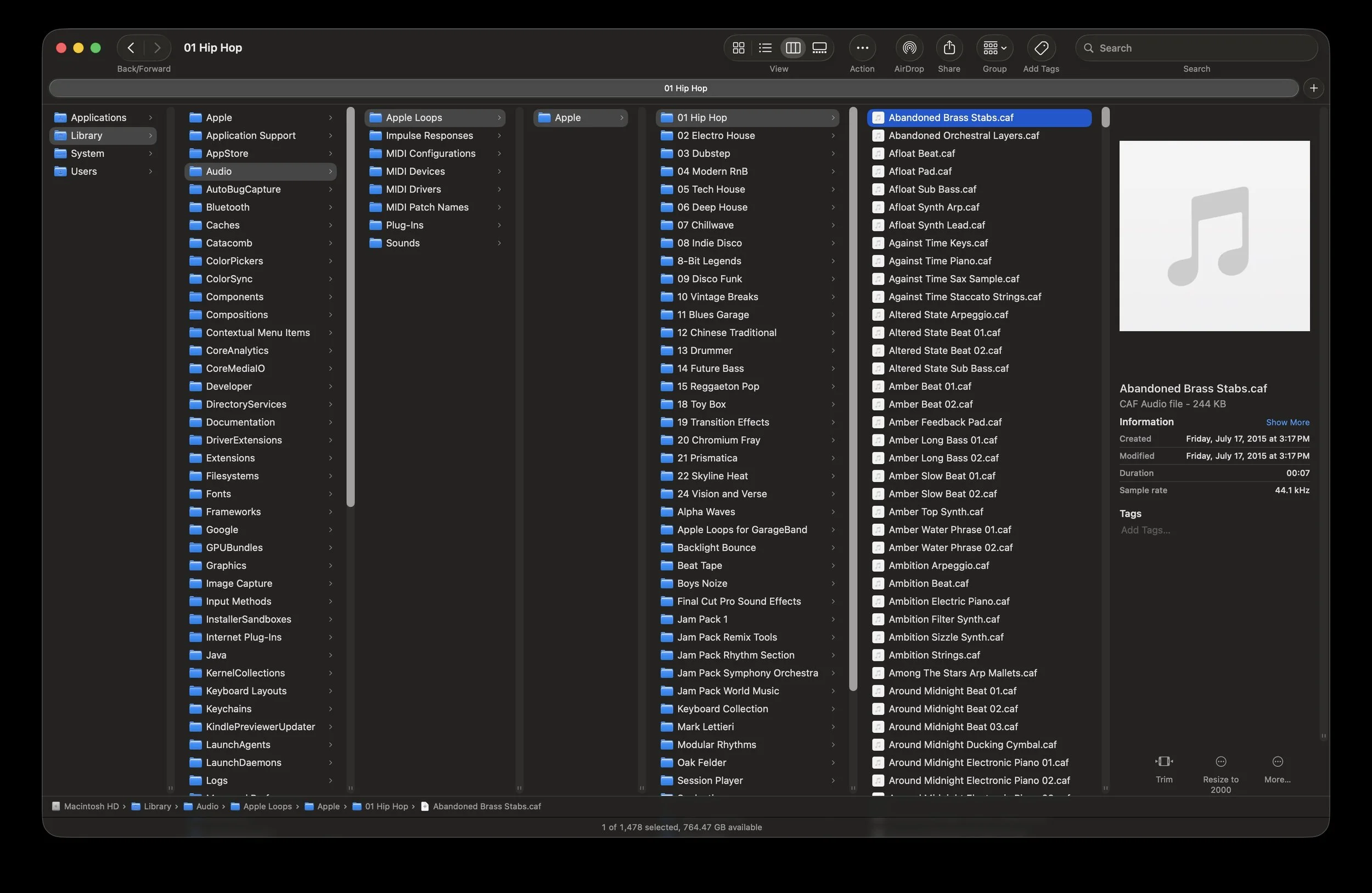
Apple Loops are organized by genre and designed for creative use in GarageBand and Logic.
Gentle Disclaimer
Apple system sounds are copyrighted works of Apple Inc. Audio clips on this page are presented briefly for educational and informational purposes only. These sounds are not provided for download or reuse and remain part of Apple’s operating systems.